markdown6 Download

From AI draft
to client-ready document.

Paste the Markdown your AI wrote, then export a PDF, Word or HTML file you can send straight to a client.

Windows and macOS · Editing and HTML export are free and unlimited · PDF and Word export coming soon

PDF

Client-ready PDF

Fonts embedded, text selectable, clean page breaks, US Letter or A4

Coming soon · 3 free a day with Word

HTML

Single-file HTML

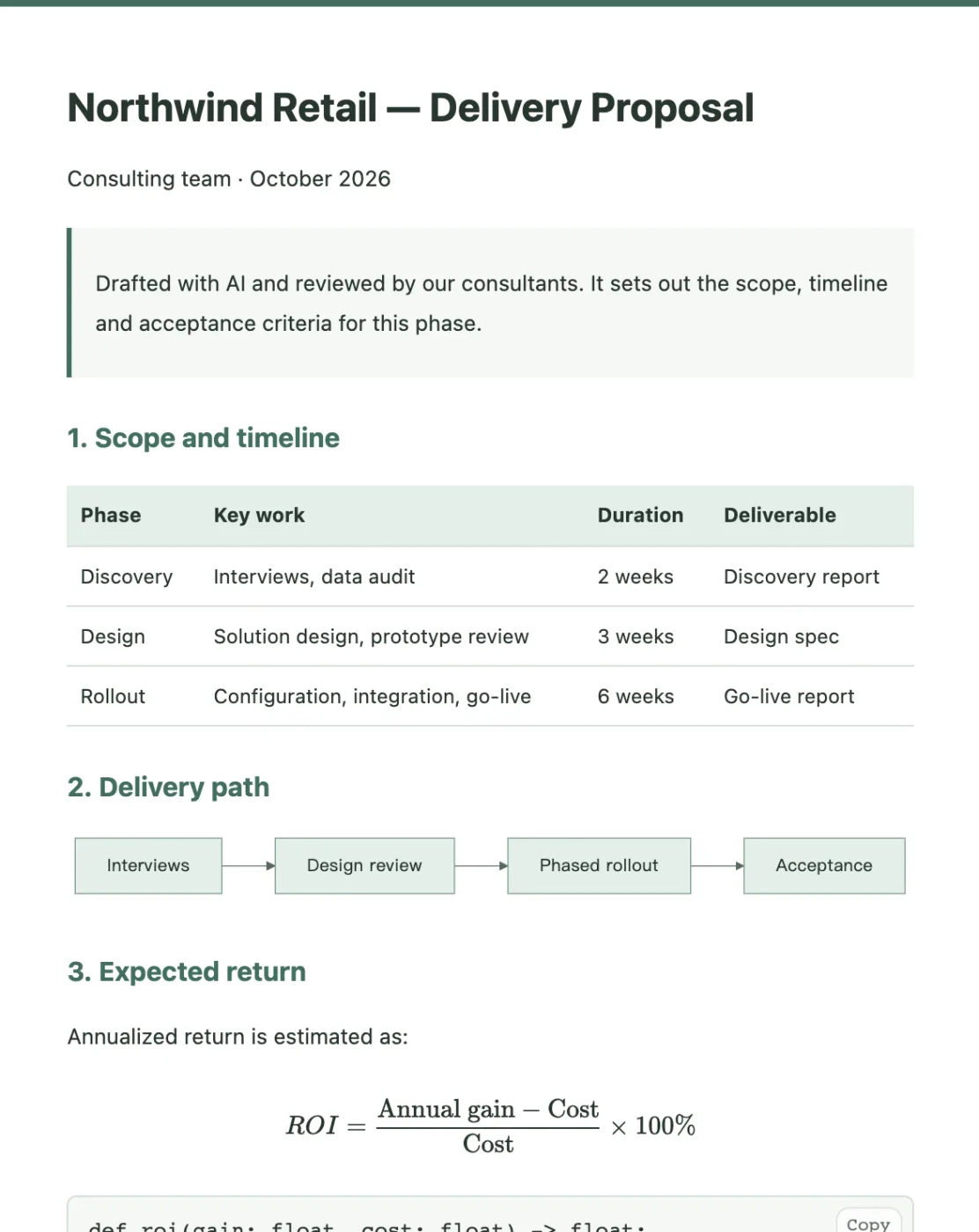
Images and equations bundled in; reads fully offline

Free · Unlimited · No sign-in

DOCX

Word document

Laid out to Business or Report standards; opens in Word ready to edit

Coming soon · 3 free a day with PDF

Workflow

One delivery, three steps

Every editing feature serves the hand-off: from your AI's answer to the file in your client's inbox, without copying between tools.

01

Paste or open

Paste what your AI wrote, or open an existing .md file.

02

Review and style

Preview as you edit, resize images, pick a theme — what you see is what you deliver.

03

Export and send

Export PDF, single-file HTML or Word, save it to your computer and send it.

Fair question

AI can already export files.
Why markdown6?

Asking AI for a PDF or Word file works for a one-off. If you deliver to clients every week, the real time goes into revisions after the first draft, keeping every file on-brand, and making sure it opens cleanly on the client's computer.

Asking AI for the file
Delivering with markdown6
One small change
Asking AIChanging a number or shrinking an image means re-prompting and regenerating the whole file — and other parts may change too
markdown6Edit the text directly; click an image to fit it to the page or half width, nothing else moves
Consistency
Asking AILayout, fonts and colors drift from file to file, so a set of documents never looks like it came from one team
markdown6Pick a theme once; every document shares the same layout, fonts and colors
PDF quality
Asking AIMissing glyphs, mixed fonts, text you can't copy, equations and flowcharts left as raw code, tables cut at page breaks
markdown6Embedded fonts and selectable text; sharp equations and charts; page through the PDF before you save it
Word files
Asking AIA generated .docx often shifts around when opened on another computer
markdown6Built with native Word styles — your client can keep editing, equations included
Your brand
Asking AILogo, cover, header, footer and contact details have to be explained every time
markdown6Set up a brand kit once and every document carries itPro
Versions
Asking AIContent is scattered across chats; you have to remember which one is final
markdown6Plain .md files on your computer with automatic version history

AI writes.
markdown6 delivers.

They work together: think it through with your AI, paste it into markdown6, and turn it into a file your client will actually read.

Features

Delivery quality comes first

Broken layouts, missing fonts and blurry charts make good content look unprofessional.

Write and preview
side by side

Source on the left, the deliverable on the right. Paste in what your AI wrote and see at a glance what needs fixing.

  • Tables, code highlighting, math and Mermaid charts render live
  • Insert headings, images, charts and equations from the toolbar
  • Outline, find, tags and version history keep long documents in order
  • Every editing feature is free, with no time limit
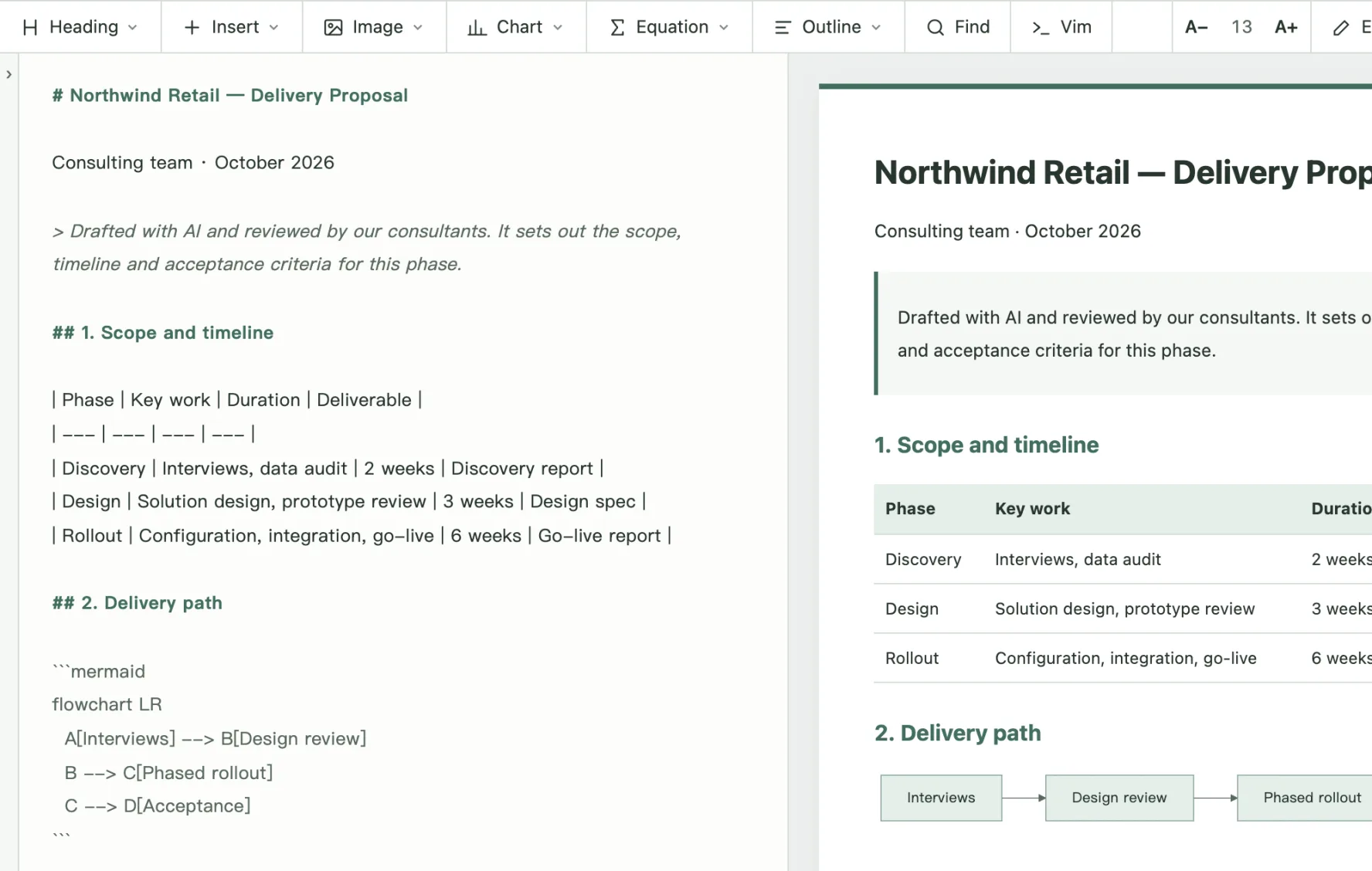
Split view: Markdown source on the left, live preview of a table and flowchart on the right

Client-ready PDF
that holds up to scrutinyComing soon

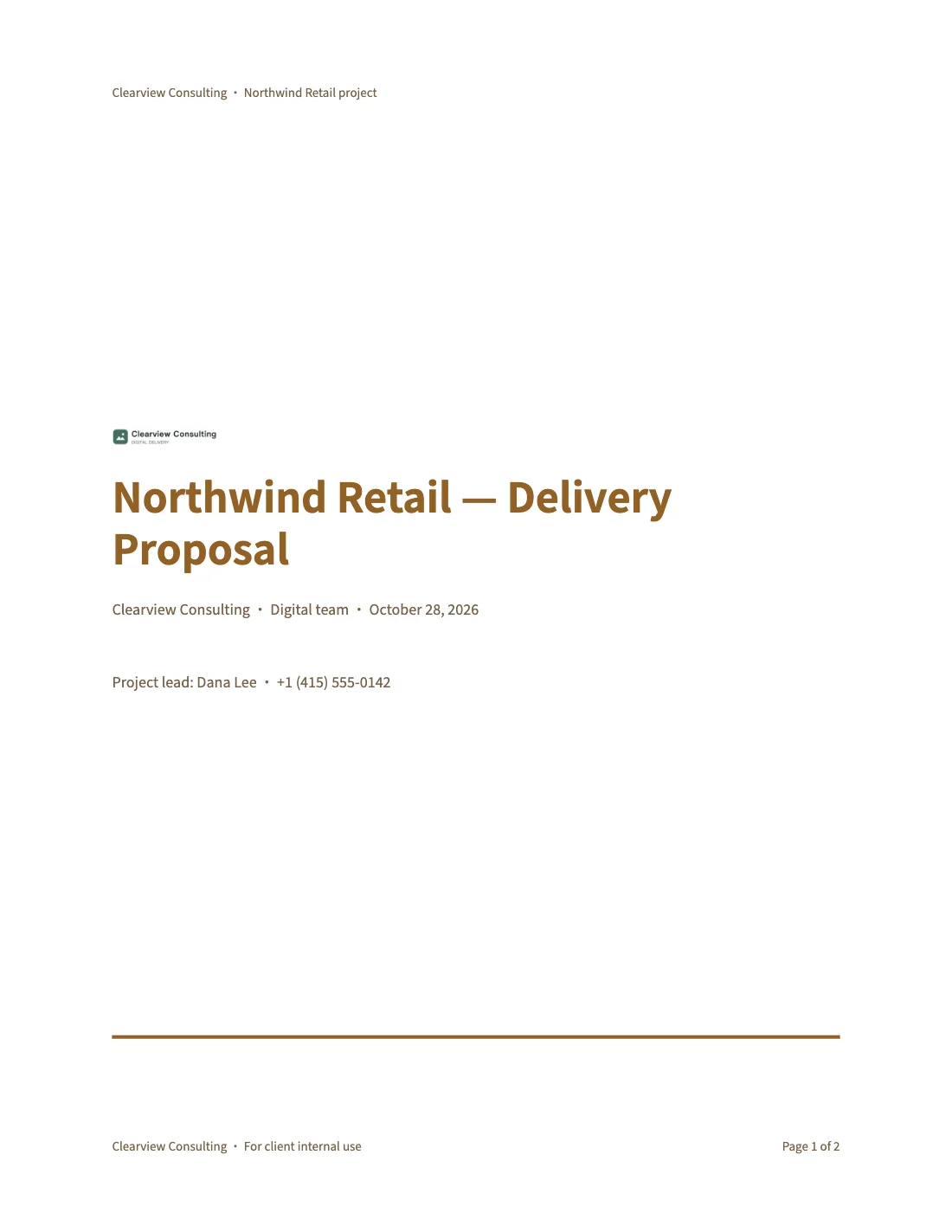
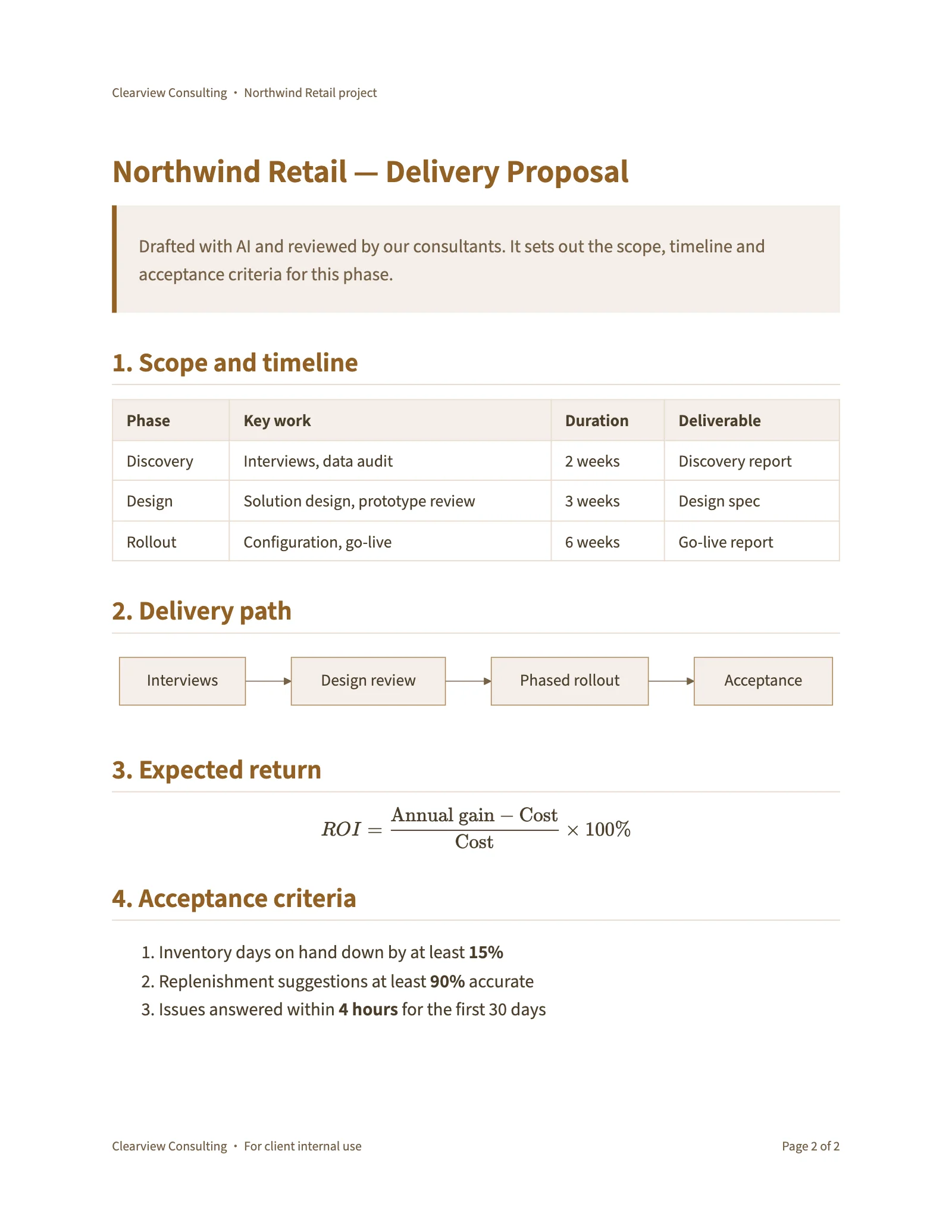
PDFs are typeset by our rendering engine, so they look the same on every computer as they did in your preview.

  • US Letter or A4, with “Page 1 of N” page numbers
  • Fonts embedded; body text is selectable and searchable
  • Tables, code, equations and flowcharts stay sharp
  • Clean page breaks — check every page before you save
A delivery document styled with the Moonlight theme
PDF
Proposal.pdfUS Letter · Moonlight theme
DOCX
Proposal.docxEditable in Word

Word files laid out to a standard,
ready to editComing soon

Word is for the other side to keep editing, so it follows a document standard instead of copying the screen. Pick a standard and headings, body, tables and page numbers are built with native Word styles.

  • Business: Calibri 11 pt, 1.15 spacing, “Page 1 of N” footer
  • Report: cover and contents, Times New Roman 12 pt, 1 / 1.1 numbering, three-line tables
  • Captions like “Table 2-1” numbered by chapter, as Word fields
  • Each document remembers its standard for next time
Word file in the Business standard: Calibri body, accent-colored headings and a page footer Word file in the Report standard: numbered sections, running header and three-line tables BusinessReport
Themes

Nine themes, one click

A theme styles the whole workspace, so what you write in is what you deliver.

Moonlight theme Ink theme Mist theme Pine theme Sand theme Jade theme Clay theme Dusk theme Starlit theme

MoonlightLight · Paper-white and calm

Your files

Your files stay yours

markdown6 is a desktop app, not a web editor. Your documents live on your computer; cloud features are opt-in.

Plain .md filesFree

Your text is a plain .md file in a folder — open it with any other tool, any time.

No account neededFree

Editing, preview, saving and HTML export all run on your computer and work offline.

Sync across computersPro

1 GB of cloud storage to keep documents in sync. Coming soon.

Brand kitsPro

Your logo, brand colors, cover, header, footer and contact details. Coming soon.

Pricing

Most of it is free

Every editing feature, local saving and single-file HTML export are free and unlimited. Pro adds more for people who deliver often.

Free

$0

No subscription, no time limit

  • The full editor: tables, code, math, flowcharts and other charts, outline, find, tags and local version history
  • Unlimited local editing, preview and saving — no sign-in
  • Unlimited single-file HTML export
  • 3 PDF / Word exports a day, with a small footer mark (coming soon)
  • Free themes: Moonlight and Ink
Download

Compare plans and billing details →

Hand every AI-written document
to your client with confidence

For Windows and macOS. Editing, saving and HTML export need no account and have no limits.